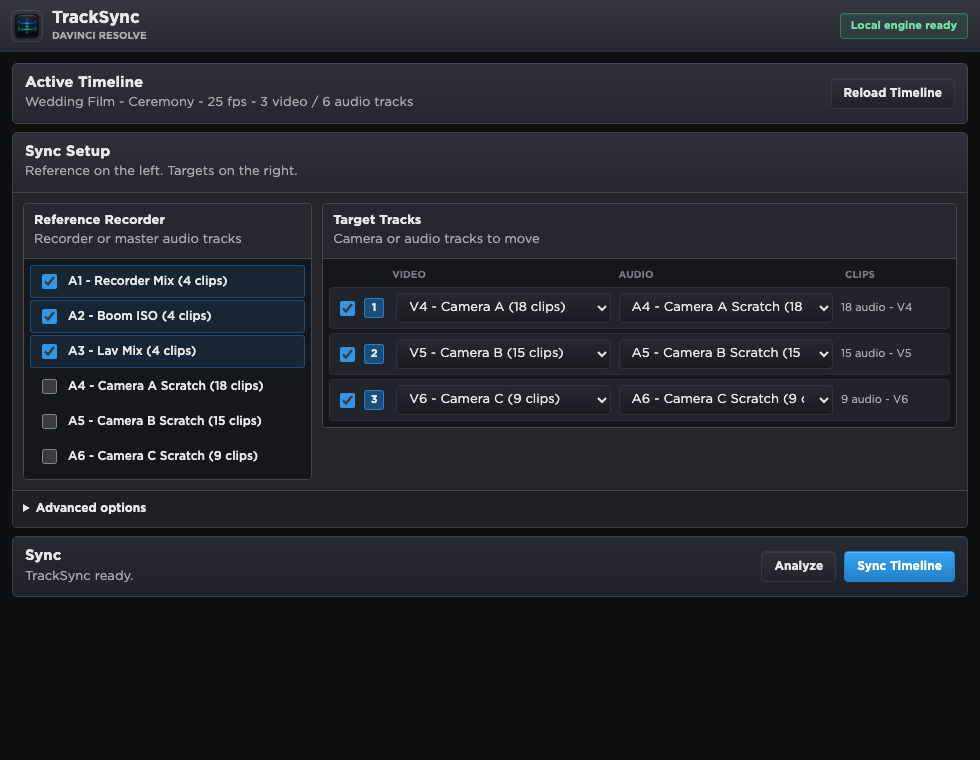
TrackSync reads the timeline currently open in Resolve.
 TrackSync
Buy now
TrackSync
Buy now
Native audio sync for DaVinci Resolve
TrackSync aligns camera scratch audio to your recorder tracks and builds a new synced timeline. No XML exports. No subscription.
Sync is a step in your edit — not a separate application.
TrackSync runs where your timeline already lives.Workflow
TrackSync reads the timeline currently open in Resolve.
Use recorder tracks as reference and camera scratch audio as targets.
TrackSync builds a new synced version and leaves the source timeline intact.
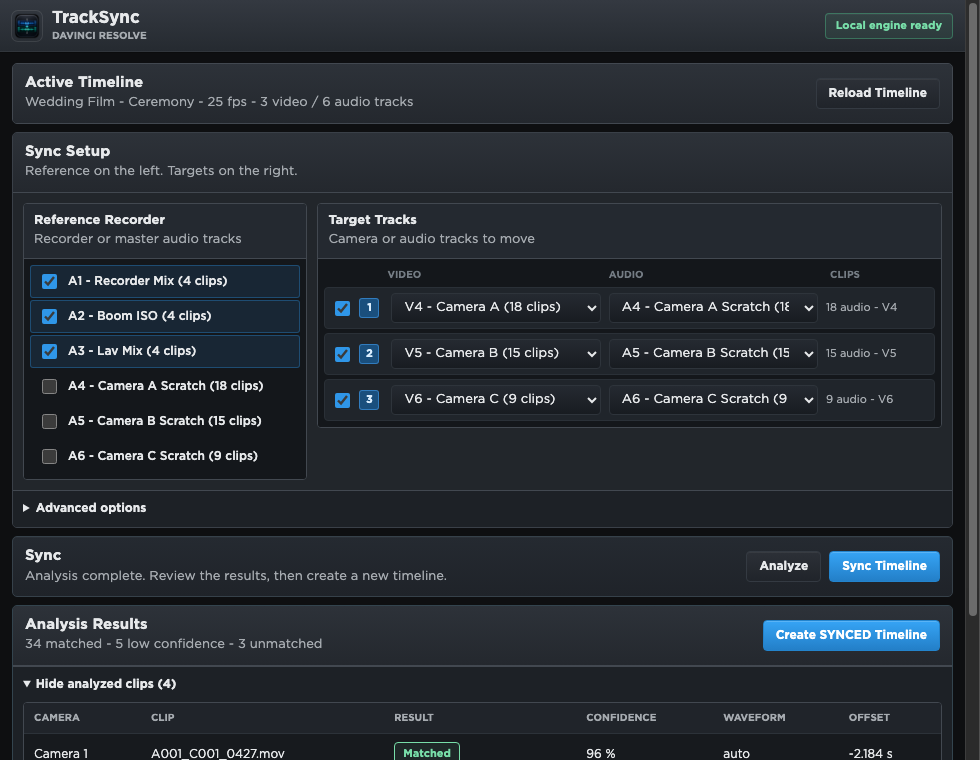
Everything included
Opens from Resolve's Workflow Integrations menu.
Works with the active timeline directly.
Combines recorder ISO tracks into one strong reference.
Weak matches stay put with yellow and red markers.
Media never leaves your Mac.
Buy once. Use the purchased version forever.
FAQ
A native DaVinci Resolve Workflow Integration that syncs camera scratch audio with separate recorder audio from your active timeline.
No. TrackSync works inside Resolve, so there is no XML, AAF, or FCPXML round trip just to sync audio with video.
No. TrackSync is sold as a perpetual license for the purchased version. Buy it once, use that version without a monthly plan.
Apple Silicon Mac and DaVinci Resolve Studio 20.3 or newer.