Who it is for
TrackSync is for Resolve editors who record separate audio.
If your camera has scratch audio, your recorder has the clean tracks, and your edit lives in DaVinci Resolve, TrackSync is built for that exact moment: sync audio with video without exporting XML, leaving Resolve, or paying for another subscription.
Best fit
Use TrackSync when the sync job should stay inside Resolve.
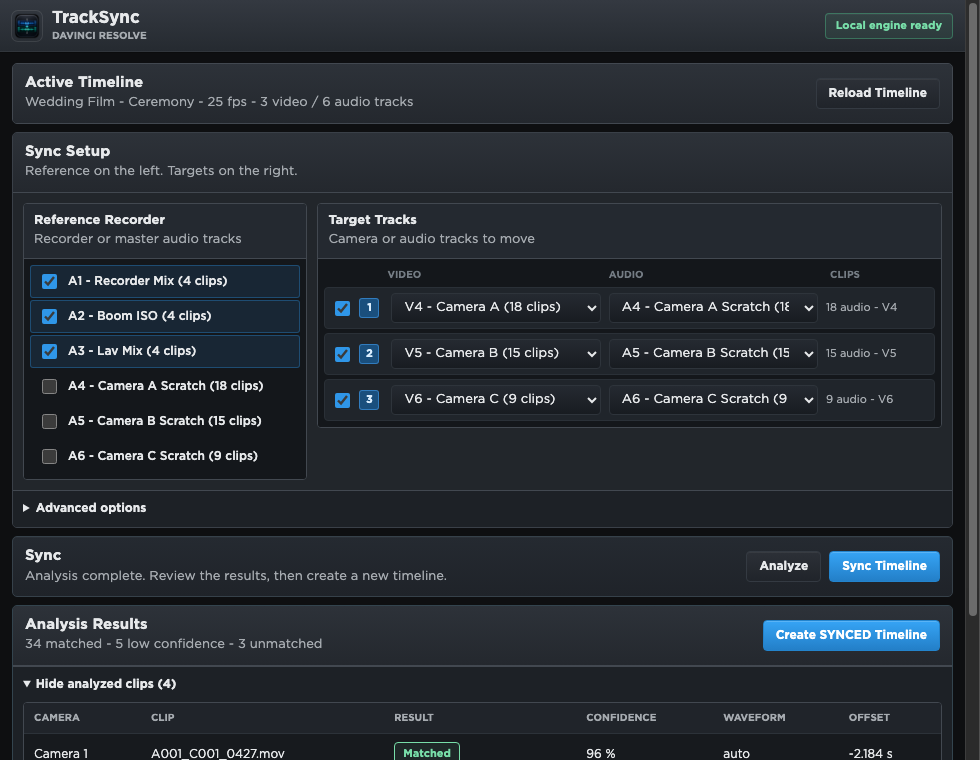
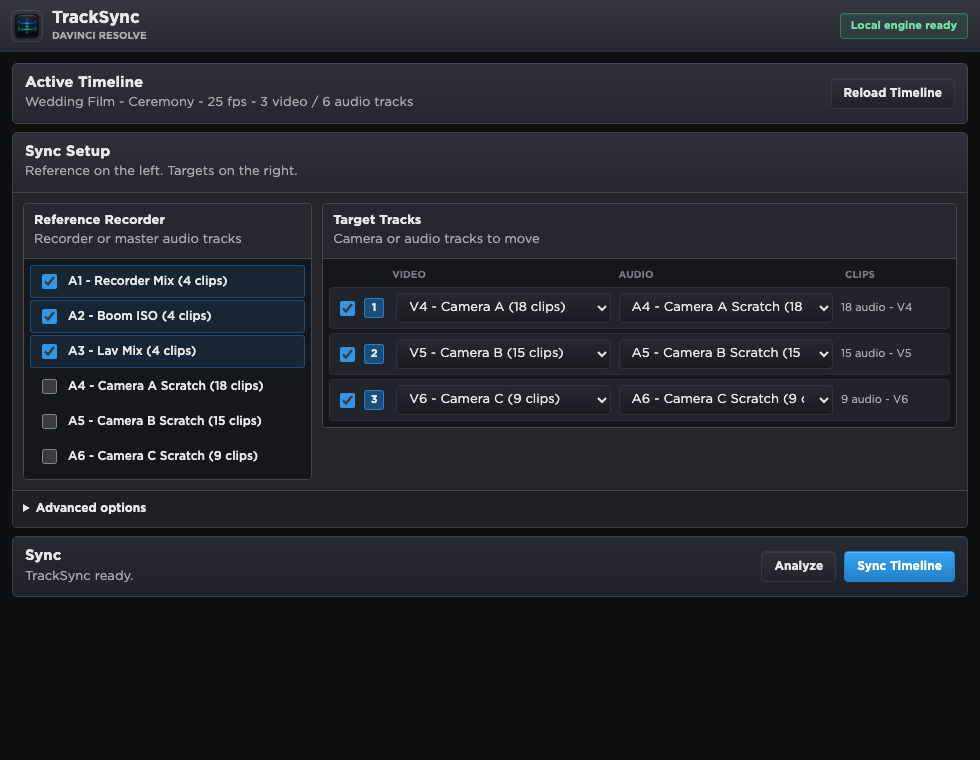
TrackSync is intentionally narrow. It does not try to replace your whole edit system. It focuses on one job: read the active Resolve timeline, compare recorder references with camera audio, and create a new synced timeline while the original stays untouched.
TrackSync is a Resolve Workflow Integration, so the active timeline is the starting point.
Use recorder tracks as references and camera scratch audio as targets.
No export/import loop just to get clips aligned before editing.
TrackSync is sold as a perpetual license for the purchased version, not a monthly plan.
Typical projects
Made for practical production timelines.
Why it helps
It removes the annoying part of external sync workflows.
Standalone sync tools can be powerful, but they often turn audio sync into a translation job: export a timeline, sync outside the editor, import the result, then check what changed. TrackSync keeps the workflow closer to the edit by working from the current Resolve project.
That makes it especially useful when you sync often, work on small-team productions, or want a simple utility that is forever yours instead of another subscription in the stack.
TrackSync is not meant for every workflow.
- Not for Premiere Pro, Final Cut Pro, or Avid timelines: TrackSync is focused on DaVinci Resolve Studio.
- Not a cloud sync service: media and waveform analysis stay local on your Mac.
- Not a rescue tool for unusable scratch audio: it needs audio overlap that can be analyzed.
- Not a subscription suite: it is a focused audio sync plugin with a one-time perpetual license.
The macOS build is Apple Developer ID signed, so macOS can verify the developer identity during installation.
If you edit in Resolve, TrackSync is probably for you.
Especially if your goal is simple: sync audio with video inside DaVinci Resolve without XML exports or a subscription.
Buy TrackSync Compare with Syncaila and PluralEyes